
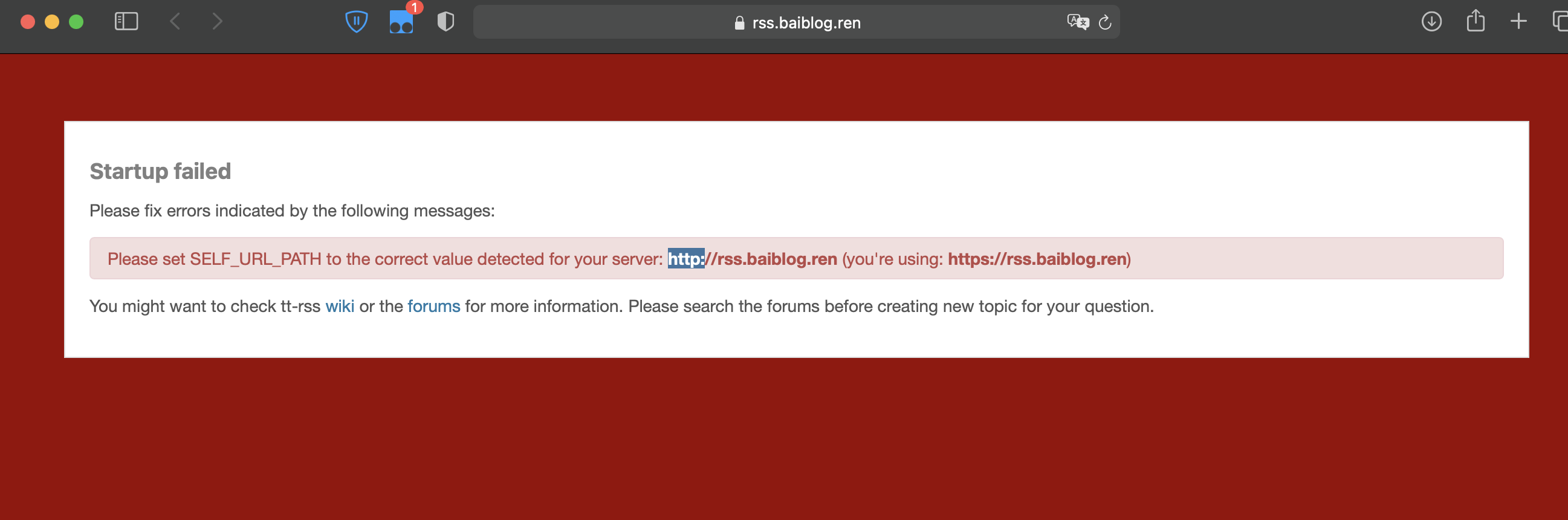
类似于出现这种,无法访问,解决方案参考:https://bytemeta.vip/repo/HenryQW/Awesome-TTRSS/issues/332
代码如下:
#PROXY-START/
location  ~* \.(gif|png|jpg|css|js|woff|woff2)$
{
    proxy_pass http://127.0.0.1:181;
    proxy_set_header Host $host;
    proxy_set_header X-Real-IP $remote_addr;
    proxy_set_header X-Forwarded-Ssl on;
    proxy_set_header X-Forwarded-For $proxy_add_x_forwarded_for;
    proxy_set_header REMOTE-HOST $remote_addr;
    proxy_set_header  X-Frame-Options     SAMEORIGIN;
    proxy_set_header  X-Forwarded-Proto   $scheme;
    expires 12h;
}
location /
{
    proxy_pass http://127.0.0.1:181;
    proxy_set_header Host $host;
    proxy_set_header X-Real-IP $remote_addr;
    proxy_set_header X-Forwarded-Ssl on;
    proxy_set_header X-Forwarded-For $proxy_add_x_forwarded_for;
    proxy_set_header REMOTE-HOST $remote_addr;
    proxy_set_header  X-Frame-Options     SAMEORIGIN;
    proxy_set_header  X-Forwarded-Proto   $scheme;

    add_header X-Cache $upstream_cache_status;

    #Set Nginx Cache

    	add_header Cache-Control no-cache;
}

#PROXY-END/
主要是添加 proxy_set_header X-Forwarded-Proto $scheme; # 需要配置文件中两个地方都添加
重启ttrss:
- docker-compose up -d
TTRSS的安装参考:
https://wzfou.com/ttrss-docker/
https://www.ioiox.com/archives/81.html (备份/迁移/插件使用等)
